|
Field
Names
|
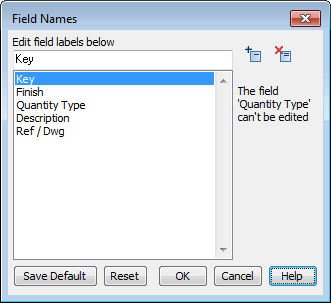
This dialog provides an interface to create and edit field names for use in the current list
Edit fields and their order to match requirements of the list.
Click the 'Save as Default' button to save names and their order as a default for new lists.
Use the 'Reset' button to set fields to the last saved default configuration.
Add and delete fields using the Add and Delete buttons at the top right of the dialog.